Email Integration
Send emails directly from your CRM with tracking, templates, and automatic activity logging. Know exactly when contacts engage with your messages.
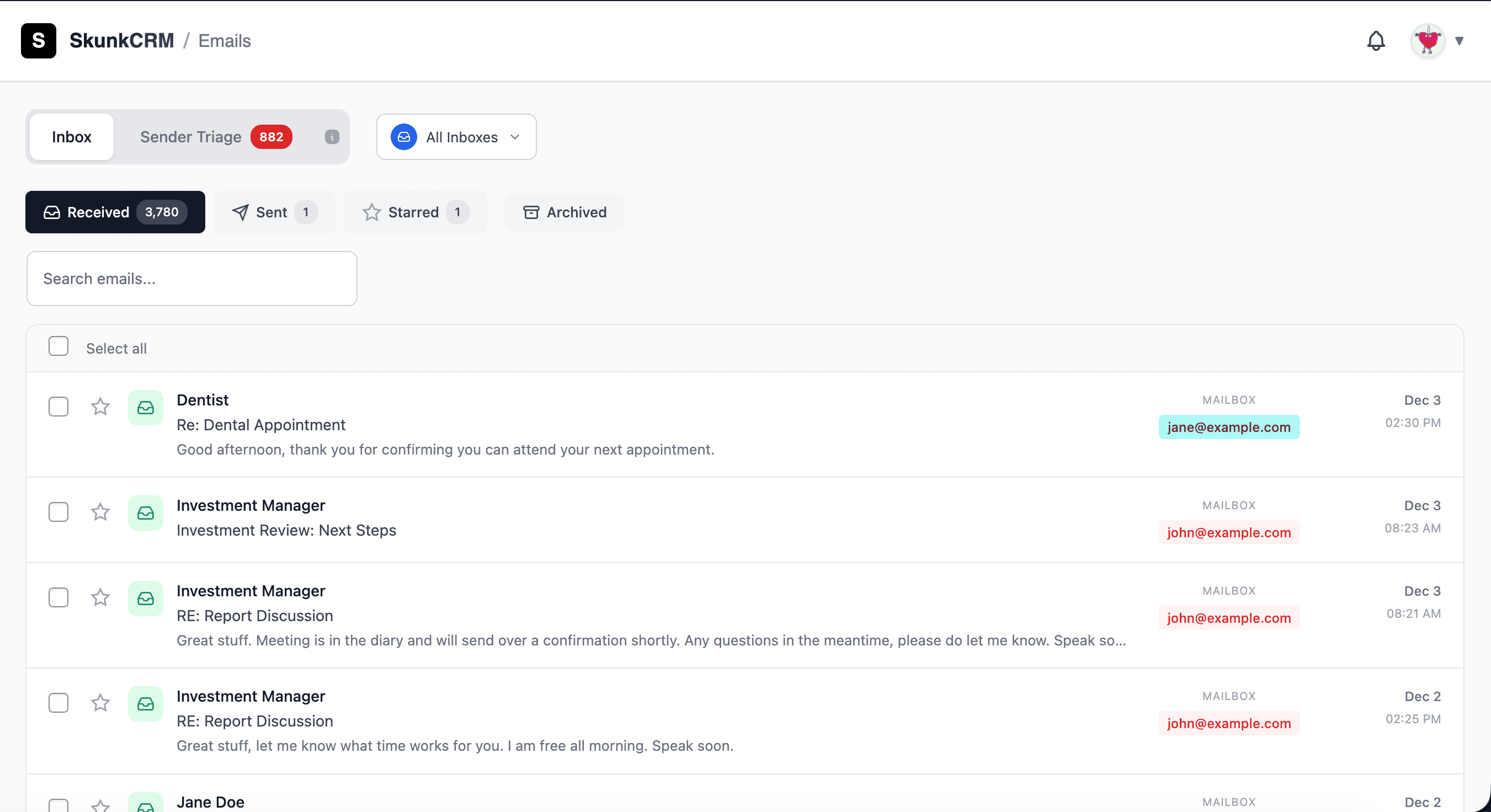
Email that works with your CRM
Stop switching between apps. Send, track, and manage all your email communication right where your contacts live.
Send from CRM
Compose and send emails directly from any contact profile. No need to switch to your email client or copy addresses.
Email Open Tracking
See when your emails are opened right in the sent email view. Track engagement to know who's interested and when to follow up.
Click Tracking
See which links contacts click in your emails. View click data alongside open tracking to understand engagement.
Email Templates
Save time with reusable email templates. Create templates for common scenarios and personalize them with contact details.
Automatic Activity Logging
Every email you send is automatically logged to the contact's timeline. Keep a complete history of all communication without manual entry.
Gmail & SMTP Support
Connect your Gmail account or use custom SMTP settings. Send emails from your own domain for a professional touch.
How it works
Get started with email integration in just a few steps.
Connect Your Email
Connect your Gmail account with one click or configure custom SMTP settings for any email provider.
Compose & Send
Click the email button on any contact to open the composer. Use templates or write custom messages.
Track & Follow Up
See when emails are opened and links are clicked. Follow up at the perfect moment to close more deals.
Ready to supercharge your email outreach?
Get started with SkunkCRM Pro and unlock powerful email integration features for your business.
Get SkunkCRM Pro